

The promo CRM that runs the whole shop
SIPS is one app that runs a promo shop. Quotes, orders, POs, proofs, production, shipping, the warehouse and commissions all live in one place, so you stop jumping between tabs to find out where a job is. It even holds the how-to guide your new reps learn from.
Stout Intel builds software made to fit one small business. SIPS is the first one we built for a whole industry instead.
Your CRM has never heard of your business
Somebody asks what the real margin was on last quarter's kitting job. The honest answer is a forty minute dig through your inbox, a spreadsheet and your own memory.
A generic CRM knows a contact, a company and a deal. That's it. It has no idea what a job is. It can't tell a screen print from an embroidery. It thinks a supplier PO is a PDF you attached. So you keep it half updated for the pipeline meeting, and the truth lives somewhere else.
I did that for years on a promo desk. I built this because I got tired of being the bridge between systems that both technically worked.
You're already paying for this problem
It just doesn't show up as a line item. It shows up here:
The zero margin order
When margin is a number somebody typed, a setup charge can eat the whole job. You find out on the invoice, weeks late. SIPS works out margin on every line from real cost, so you catch it while you're still quoting.
The reorder nobody chased
Most CRMs go blind the second a deal closes. Promo doesn't end there. SIPS keeps going through In Production and Shipping. That's when the reorder gets decided.
Your rep is doing data entry
A rep typing the same job into a second system is the most expensive typing in the building. It never shows up as a bill. One job record gives those hours back to selling.
The gap either side of the job
Your order platform runs the job well. It was never built to hold the pipeline before the job, or the client after it ships. That's the gap SIPS holds.
Catch one zero margin order before you bill it and you've covered a lot of software.
Same words, different software
A CRM can only tell you about things it knows exist. Here's a promo job in a regular CRM, then in SIPS.
Pick your seat
One login. Everyone sees the part of the shop they run.
It's built
SIPS isn't a someday idea or a mockup. These are counted off the code itself, not rounded up.
Measured October 2026.
 Demo account · sample data
Follow one job
through the desk.
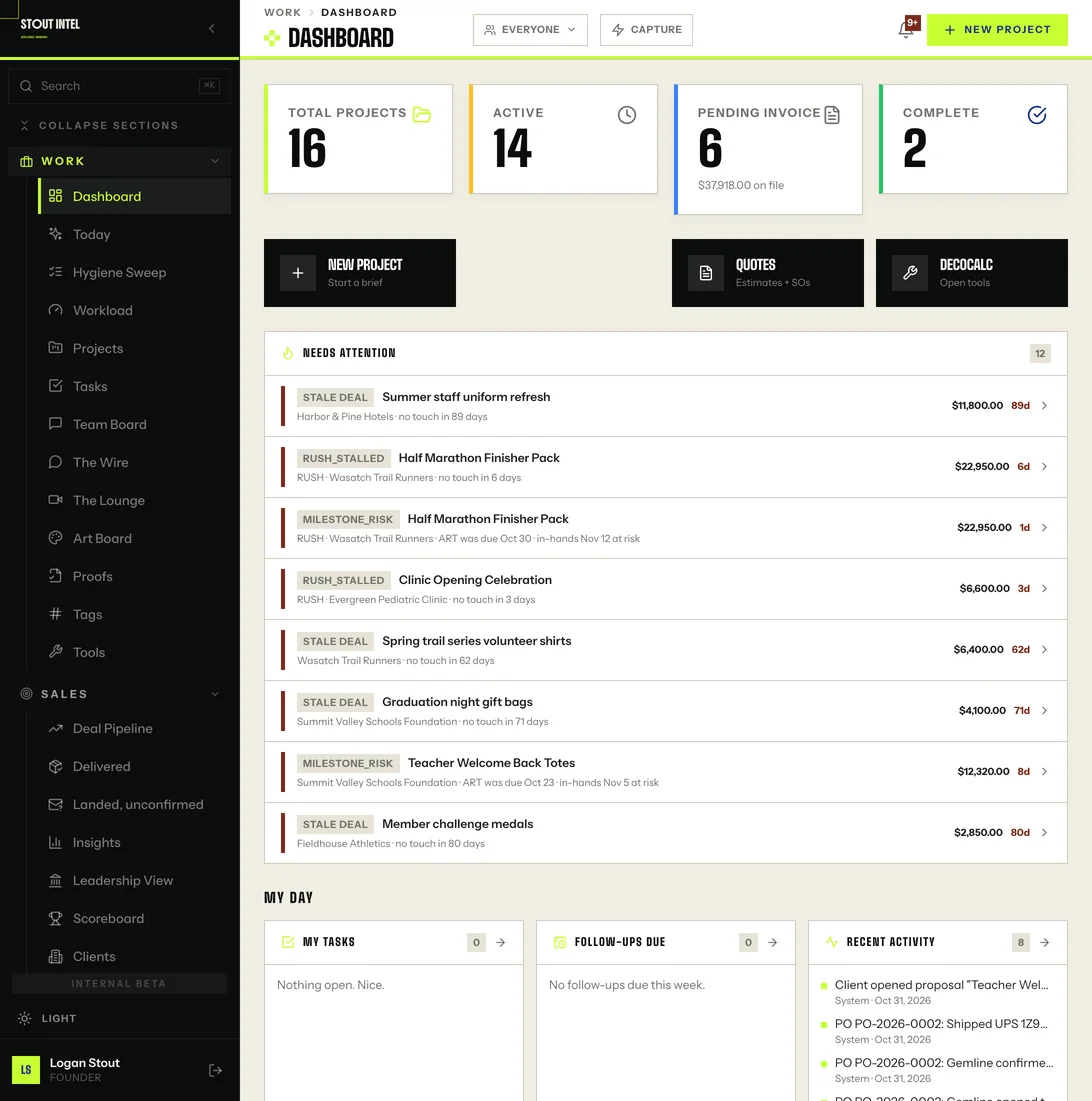
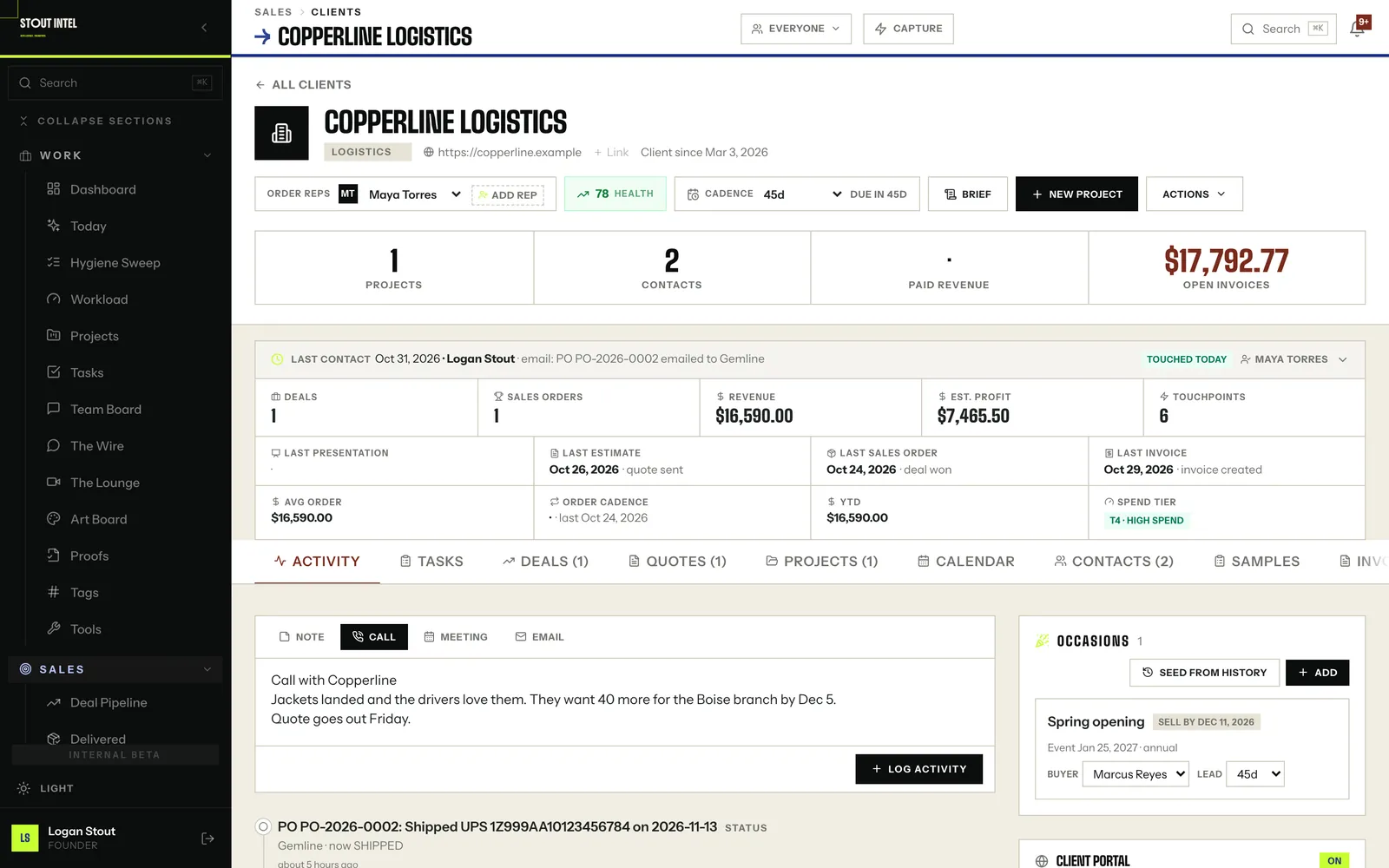
Every screen here is the real app, captured as it runs, in a sample workspace with made up clients. The job is 210 driver safety jackets for a trucking company. Ten screens take it from the first call to the money.
- 01
The call
Log the call the second you hang up. It lands on the client and the deal with your name and the time.
- 02
The brief
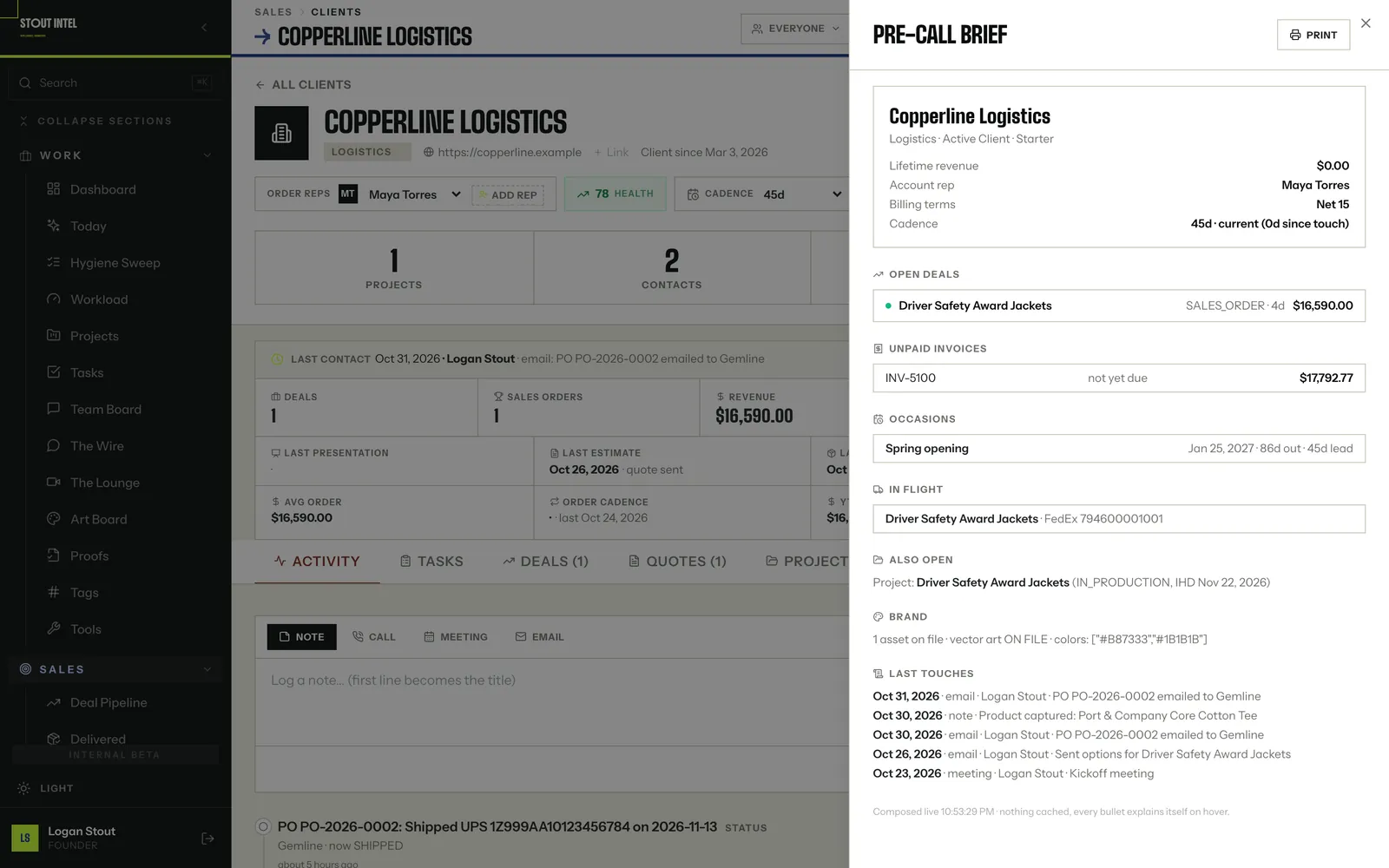
Before you dial, one click shows the last calls, the open deals, the unpaid invoices and what to say.
- 03
On the board
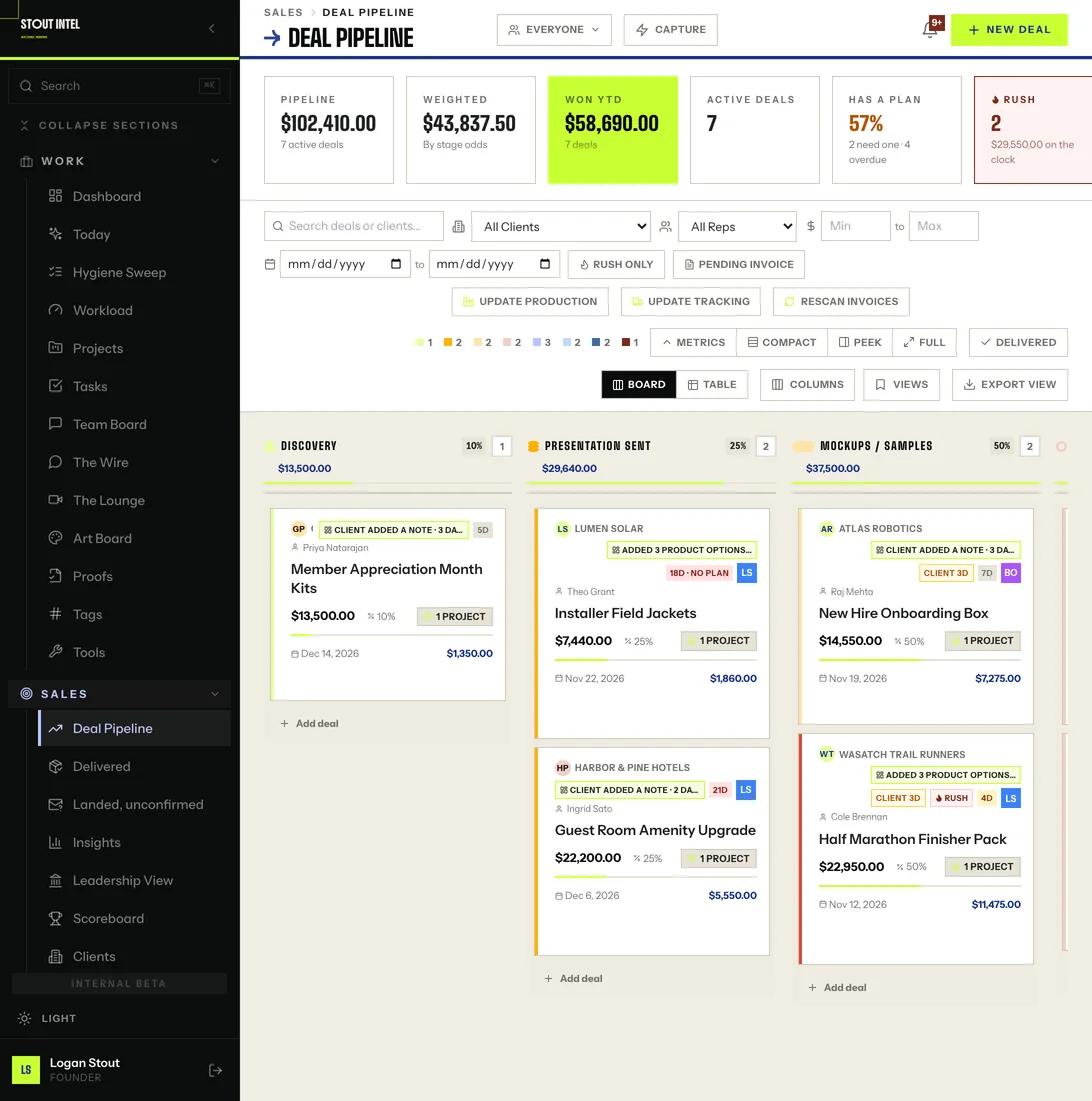
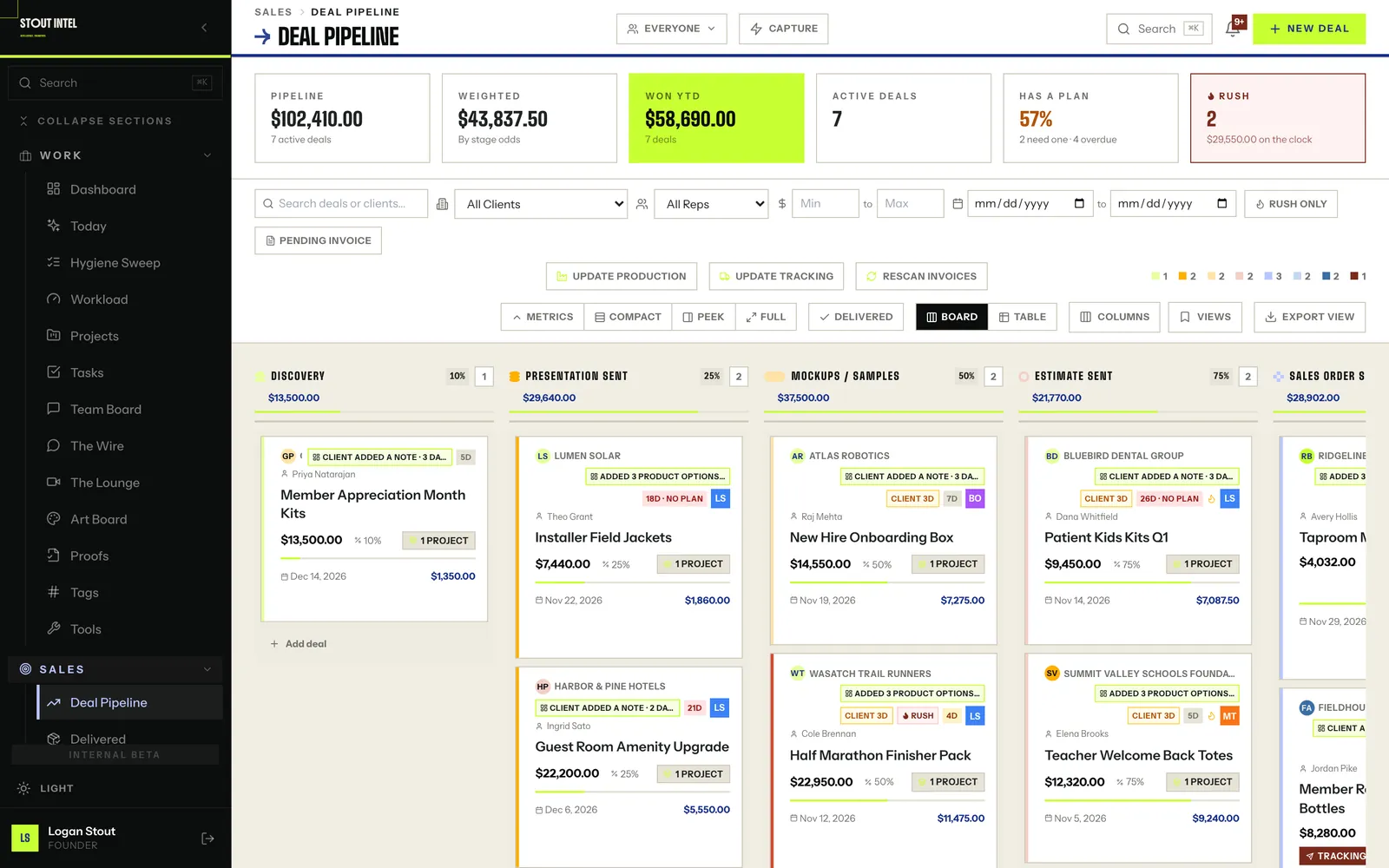
The deal sits on the pipeline with every other job, stage by stage, with the money on each column.
- 04
The deal
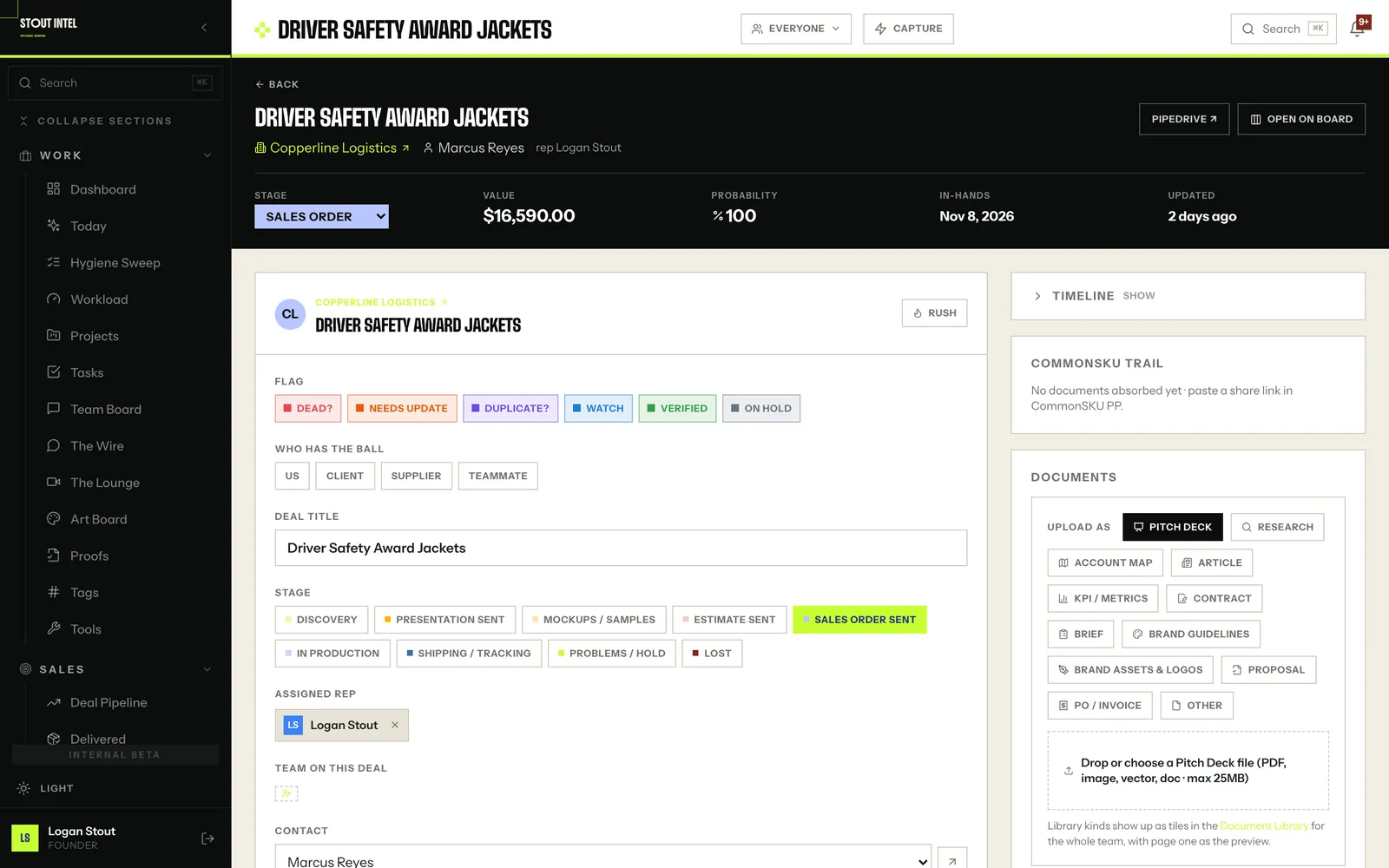
One page holds the client, the contact, the in hands date, the notes and the next step.
- 05
The quote
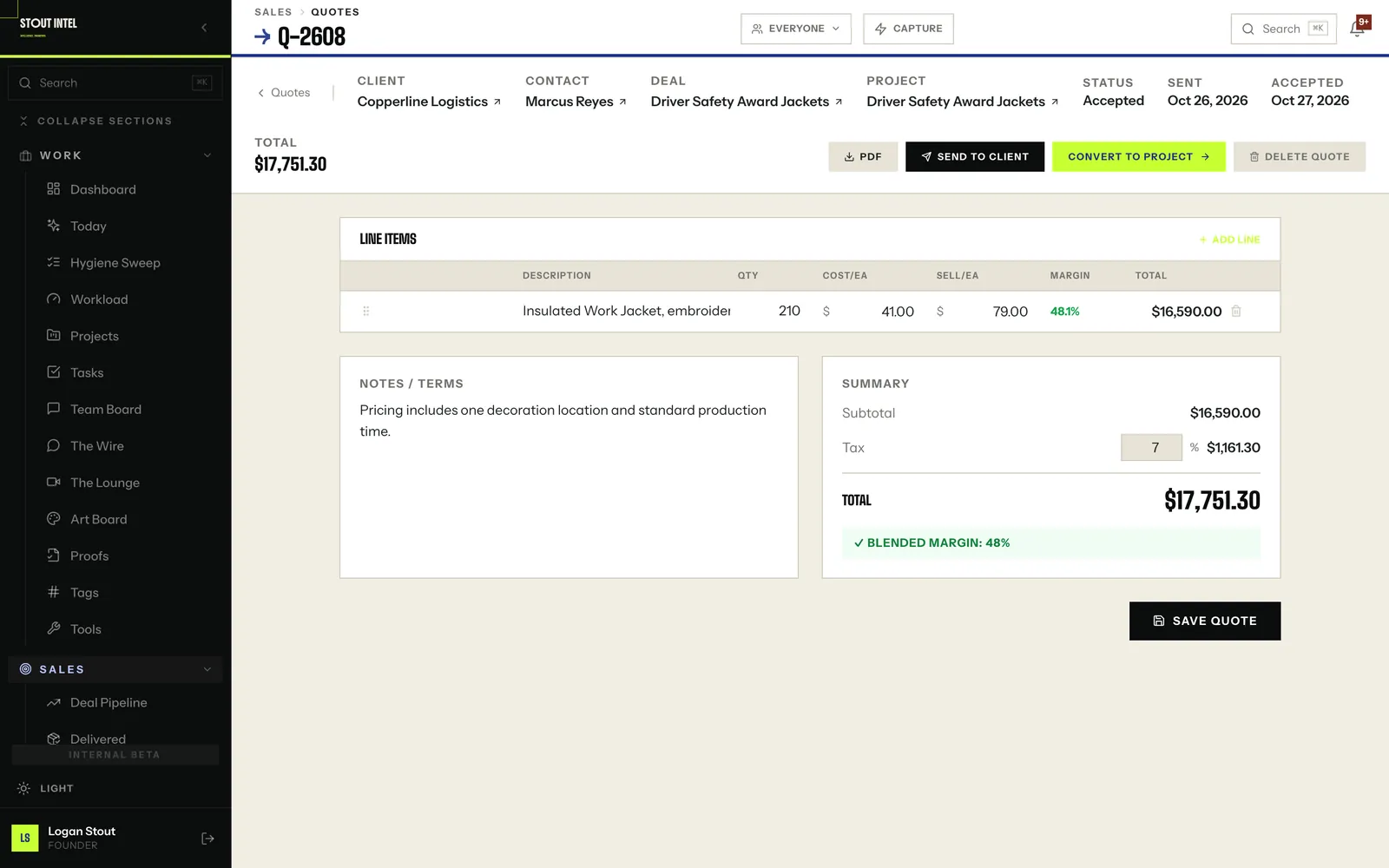
Line items, margin and tax on one page. Send it to the client from here.
- 06
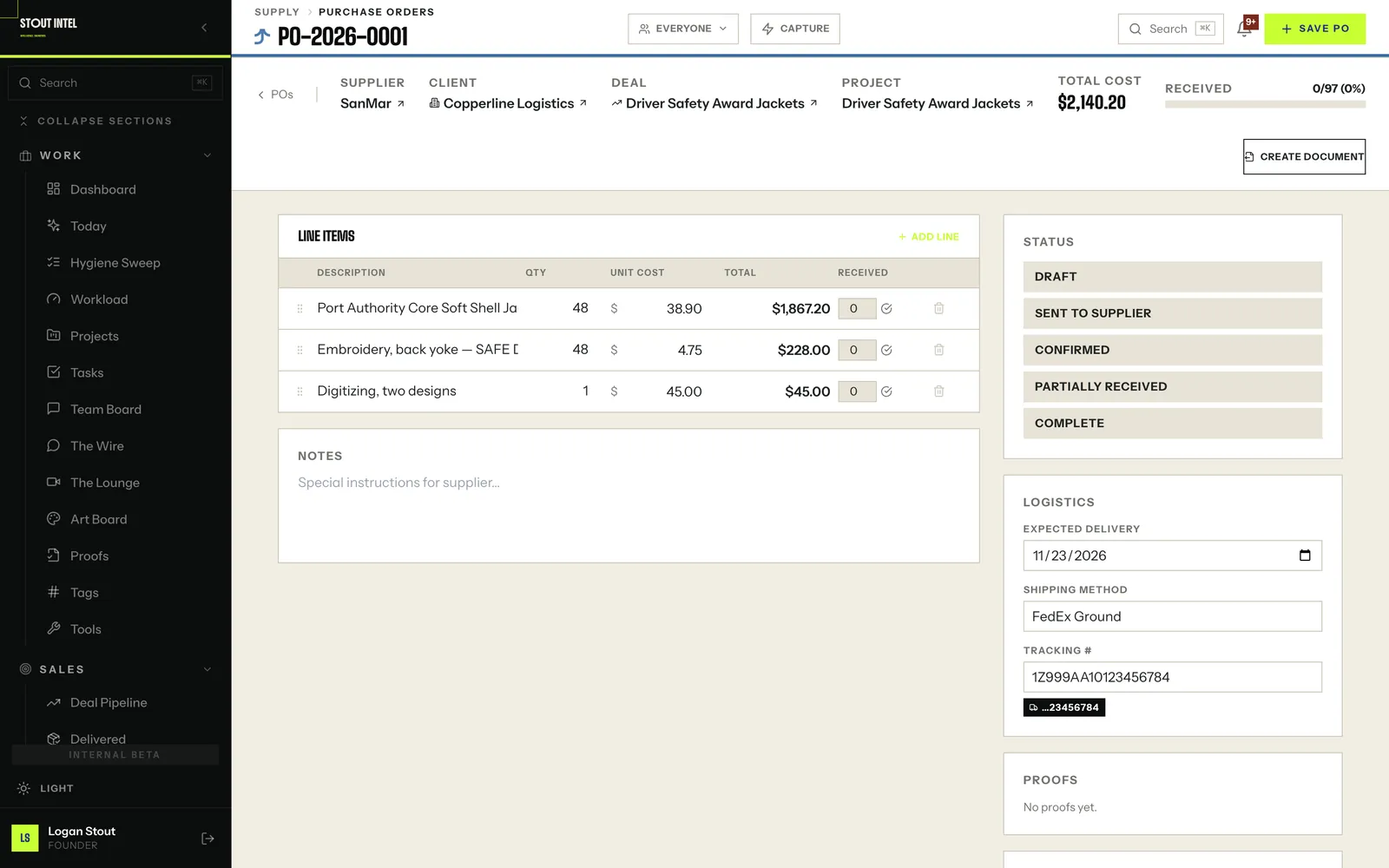
The purchase order
The PO goes to the supplier with the artwork. Confirmed, shipped and tracked on the same page.
- 07
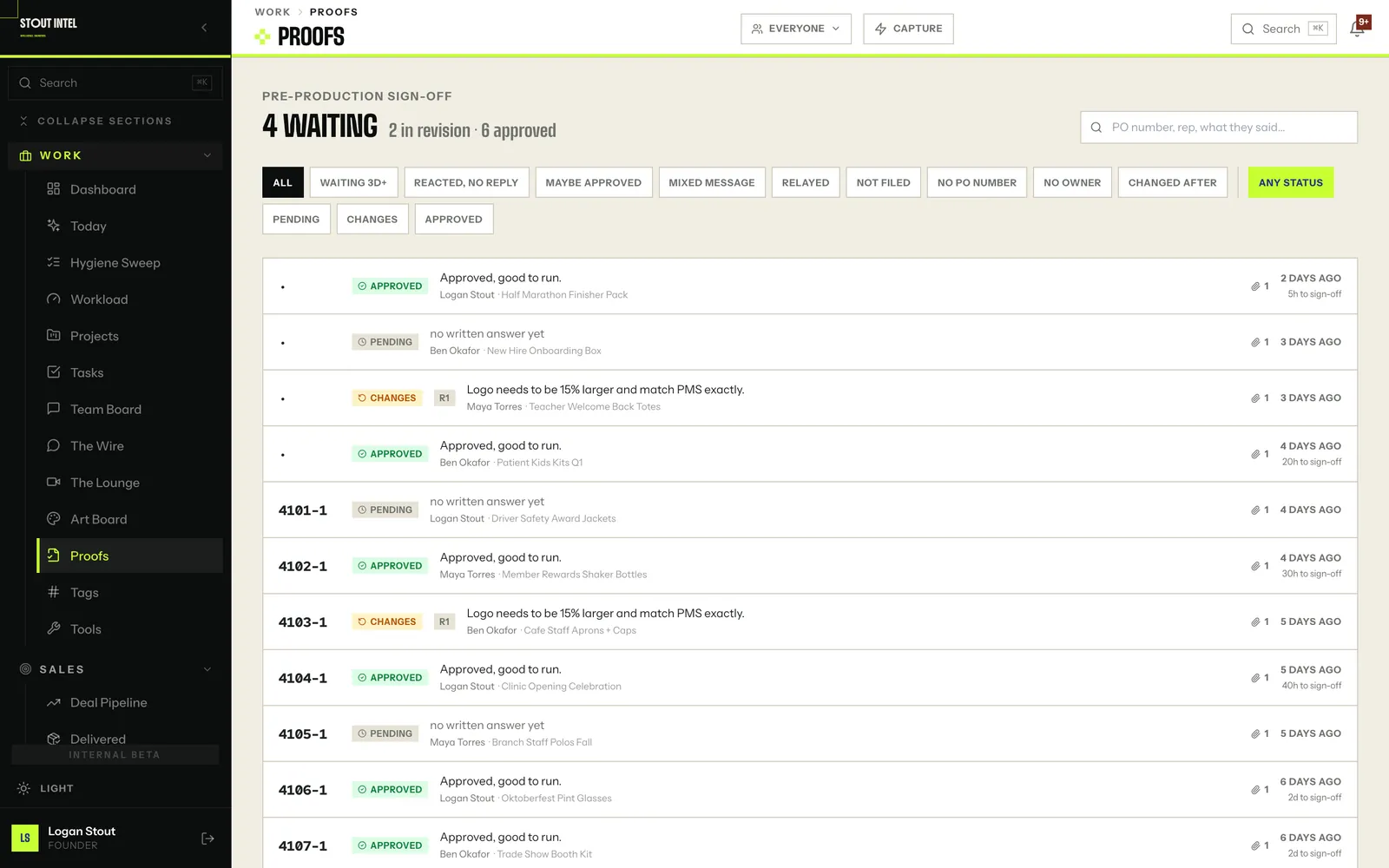
Proofs
Proofs wait in one queue. Approve, revise or chase, and the job moves on.
- 08
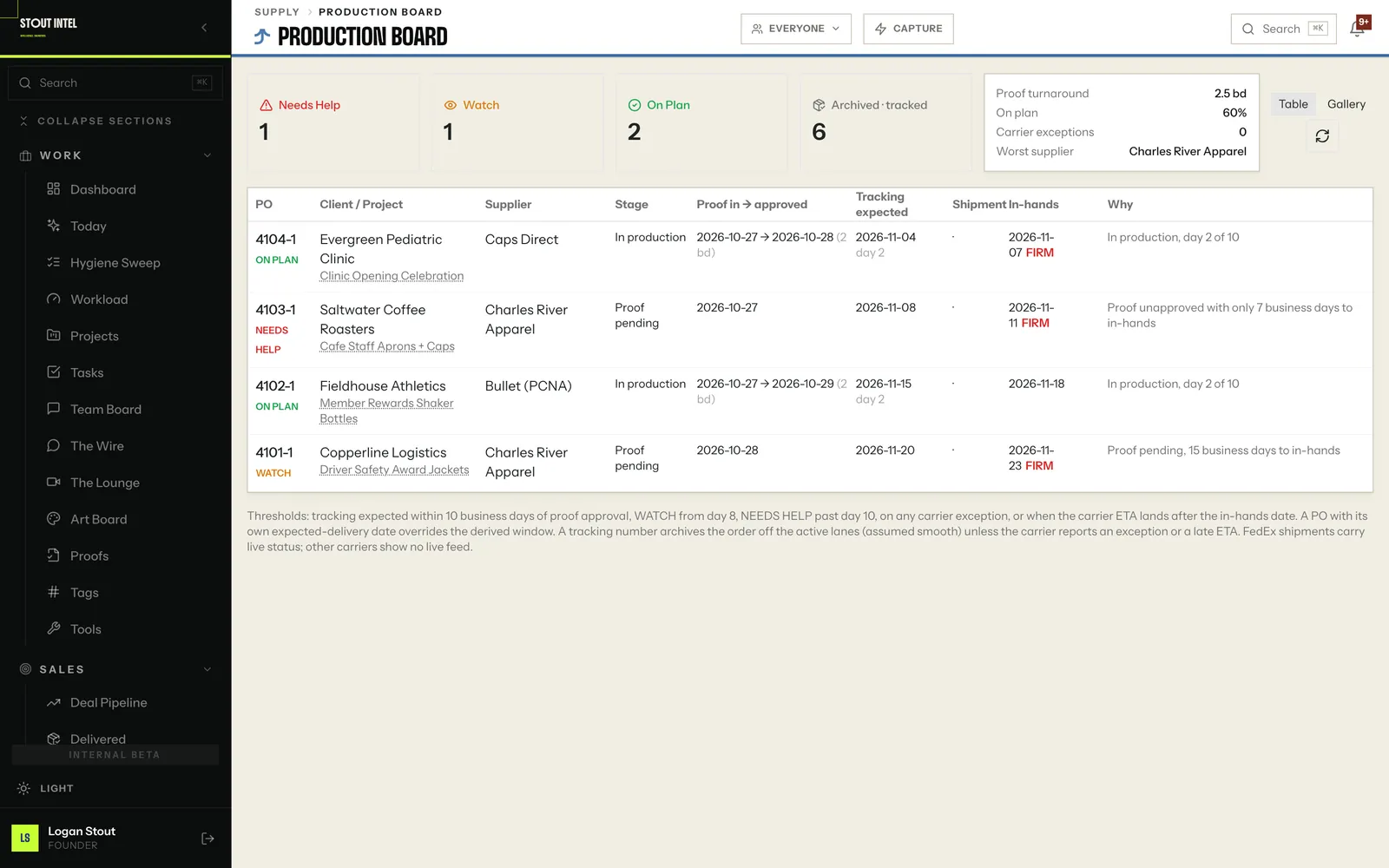
In production
The production board shows every job with its supplier, its stage and its in hands date.
- 09
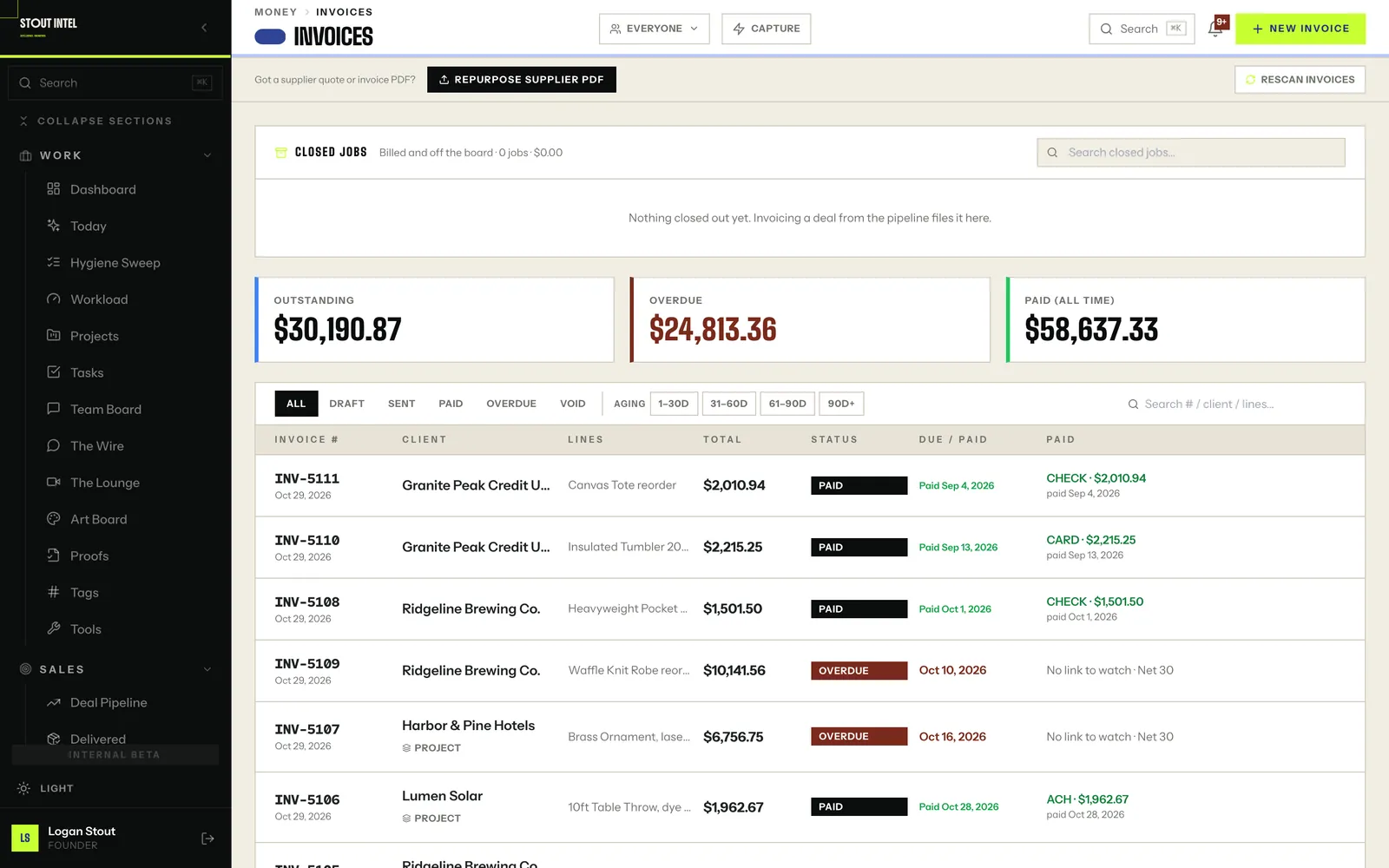
The invoice
Invoices sit with the job. Sent, due and paid, with the money owed in plain sight.
- 10
The money
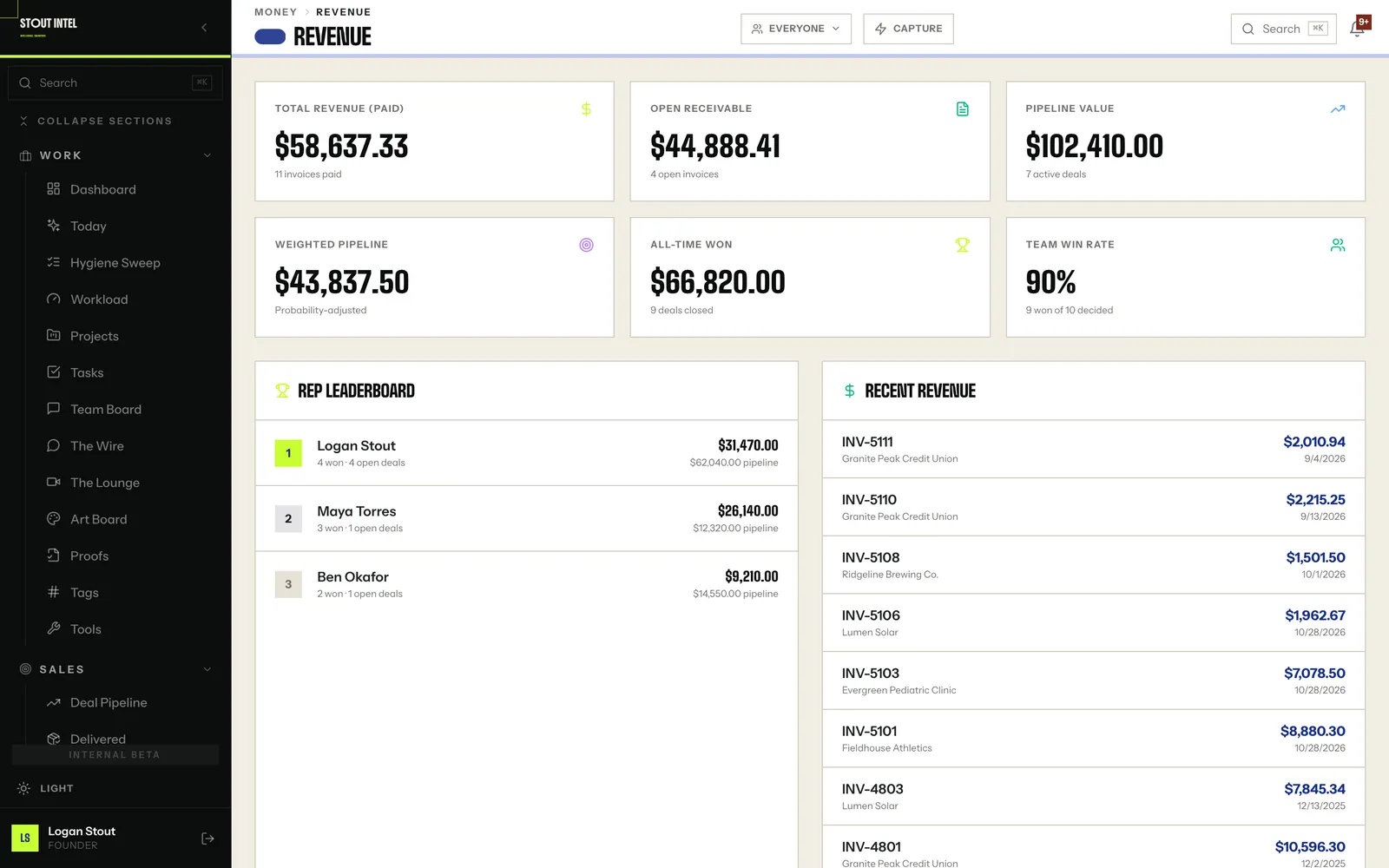
Revenue, pipeline and margin by rep. Counted from the jobs, not typed in.
- SIPS · Client · Activity01
The call
Log the call the second you hang up. It lands on the client and the deal with your name and the time.
- SIPS · Pre call brief02
The brief
Before you dial, one click shows the last calls, the open deals, the unpaid invoices and what to say.
- SIPS · Deal pipeline03
On the board
The deal sits on the pipeline with every other job, stage by stage, with the money on each column.
- SIPS · Deal04
The deal
One page holds the client, the contact, the in hands date, the notes and the next step.
- SIPS · Quote05
The quote
Line items, margin and tax on one page. Send it to the client from here.
- SIPS · Purchase order06
The purchase order
The PO goes to the supplier with the artwork. Confirmed, shipped and tracked on the same page.
- SIPS · Proofs07
Proofs
Proofs wait in one queue. Approve, revise or chase, and the job moves on.
- SIPS · Production board08
In production
The production board shows every job with its supplier, its stage and its in hands date.
- SIPS · Invoices09
The invoice
Invoices sit with the job. Sent, due and paid, with the money owed in plain sight.
- SIPS · Revenue10
The money
Revenue, pipeline and margin by rep. Counted from the jobs, not typed in.
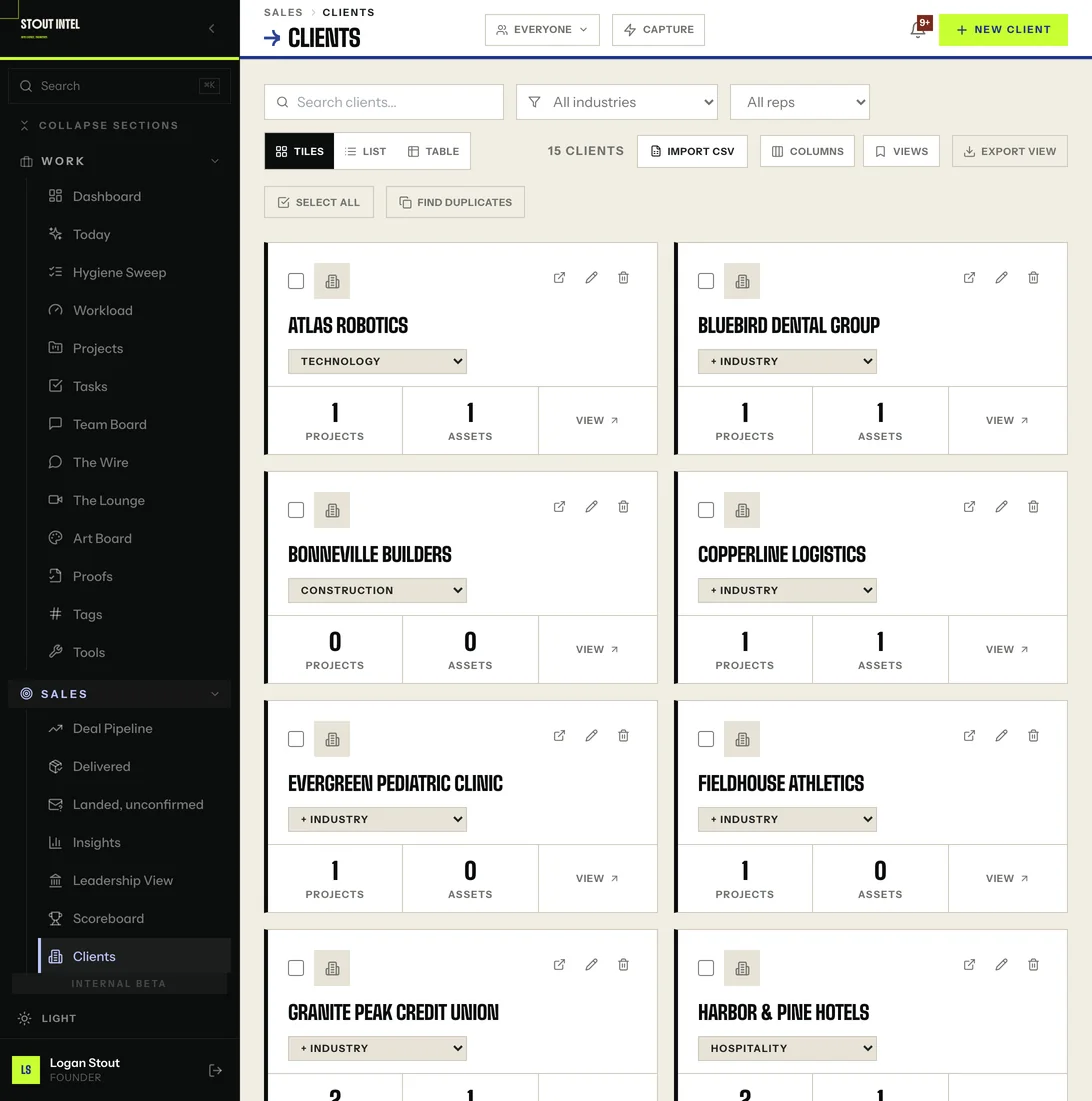
More than a hundred screens.
Here are eight.
Same workspace, same made up clients. Each one exists because a real job needed it.
- SIPS · Today
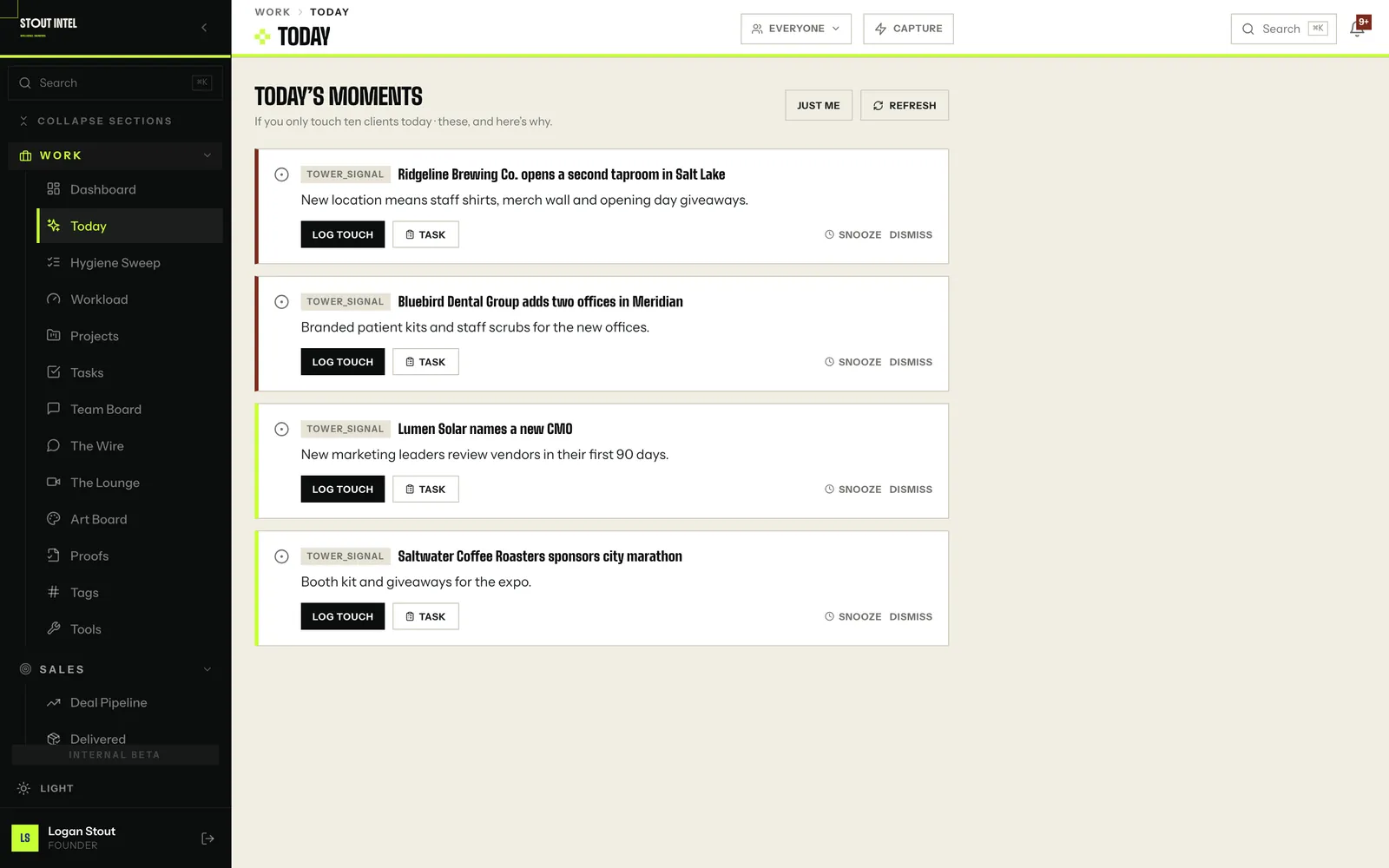
Today
Who to touch today, ranked.
- SIPS · Outreach
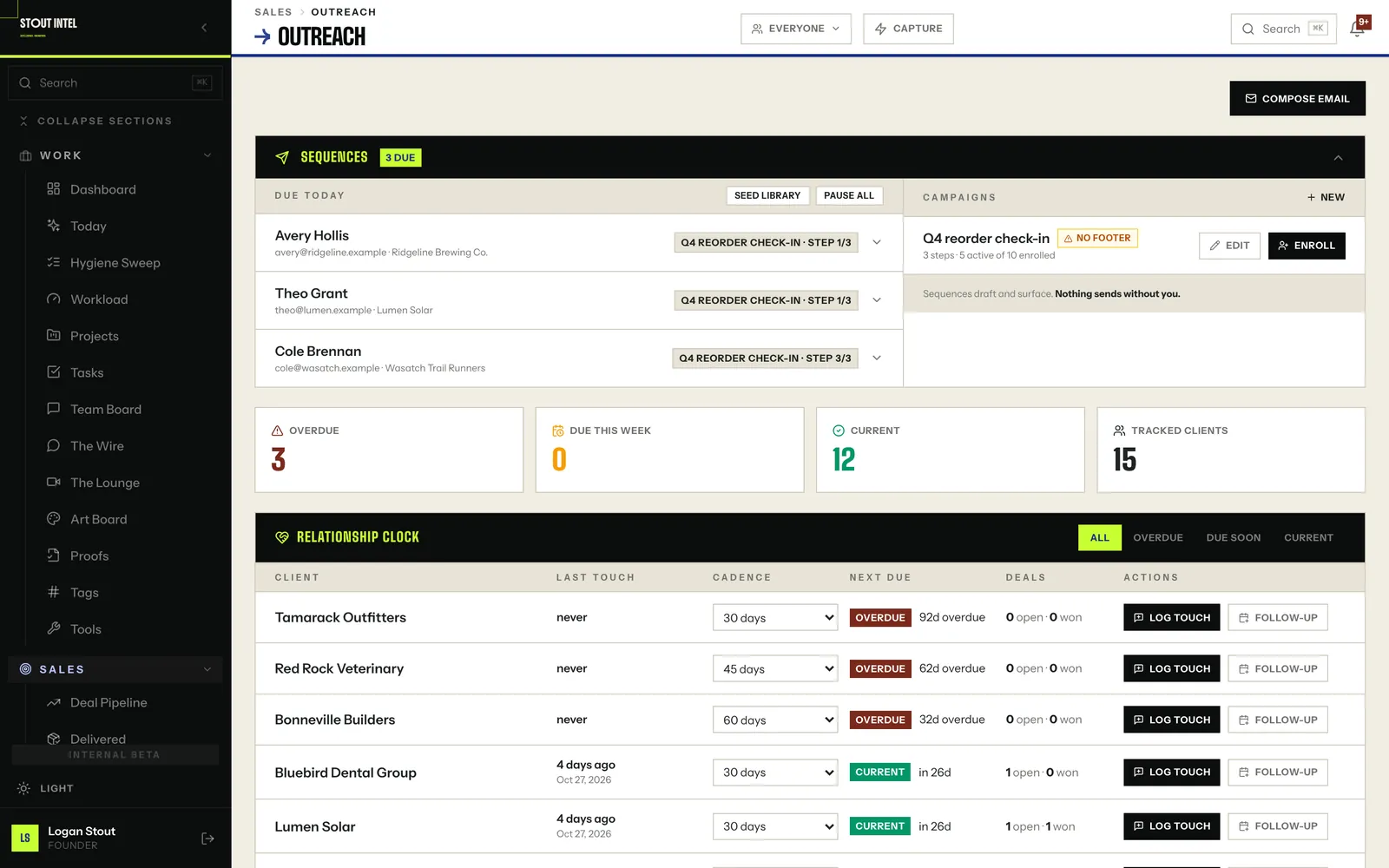
Outreach
A cadence per client. Overdue first.
- SIPS · Team calendar
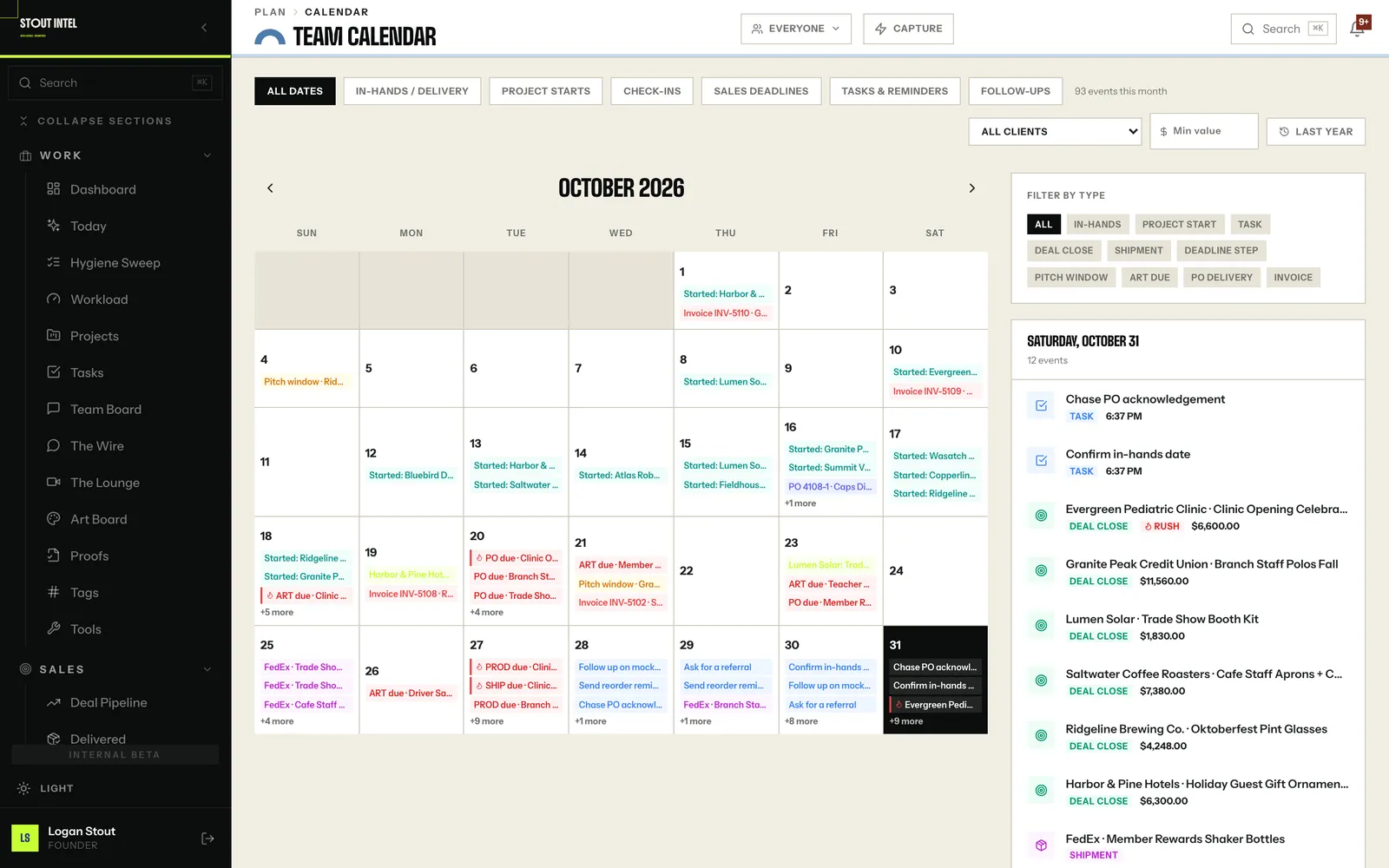
Team calendar
Every in hands date on one month.
- SIPS · Art board
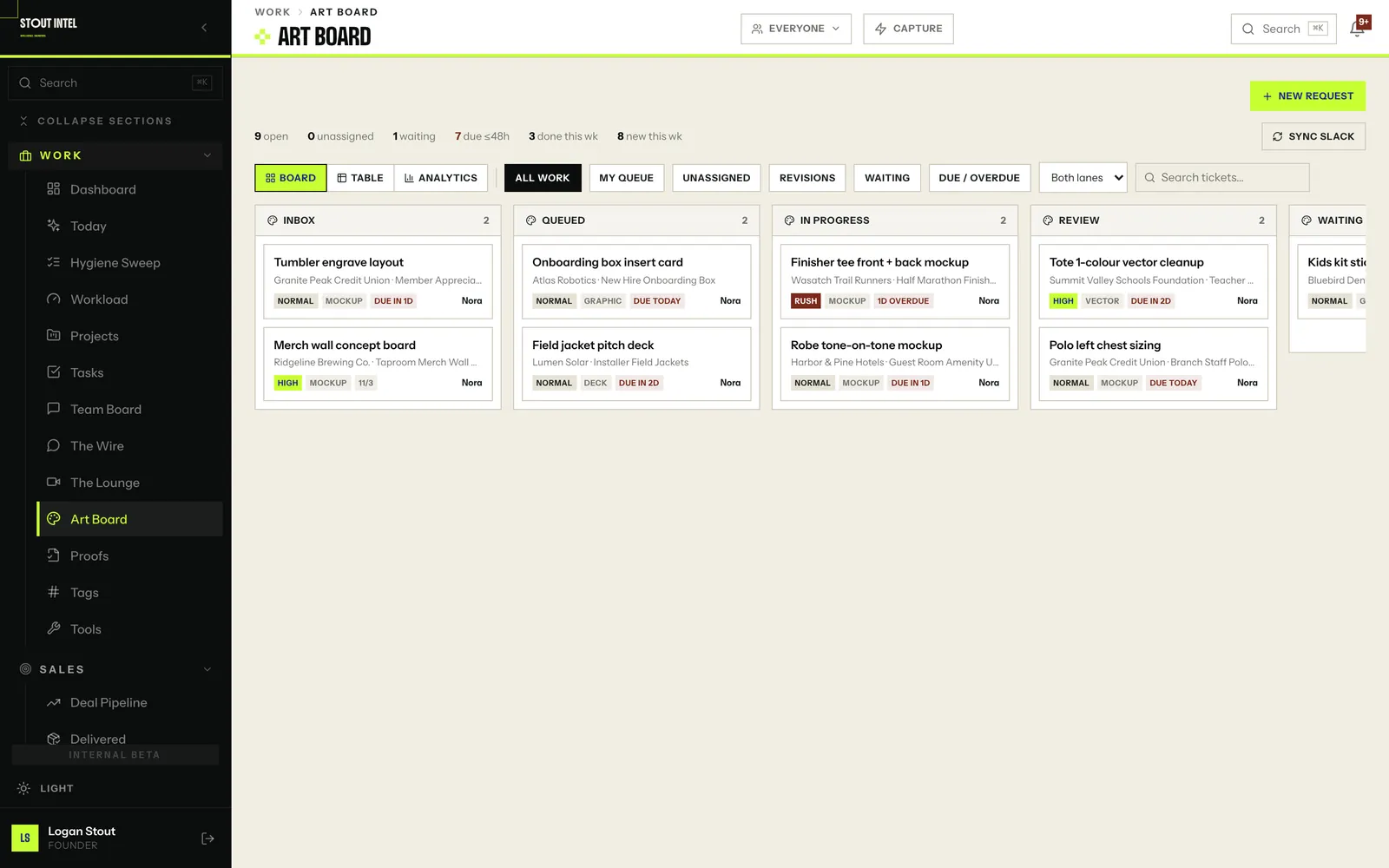
Art board
Art requests, by stage.
- SIPS · Warehouse
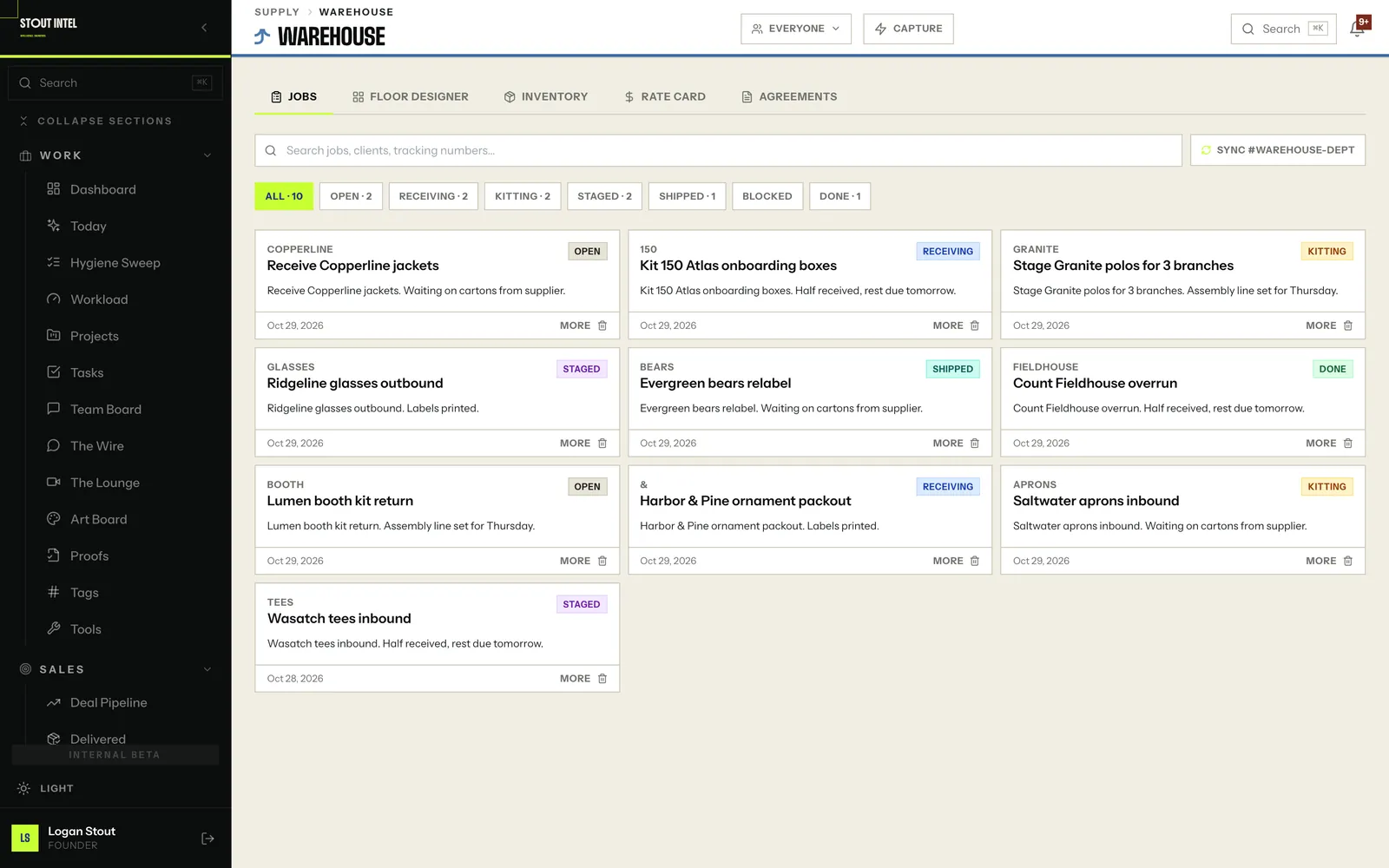
Warehouse
What is in, what is out, what is late.
- SIPS · The tower
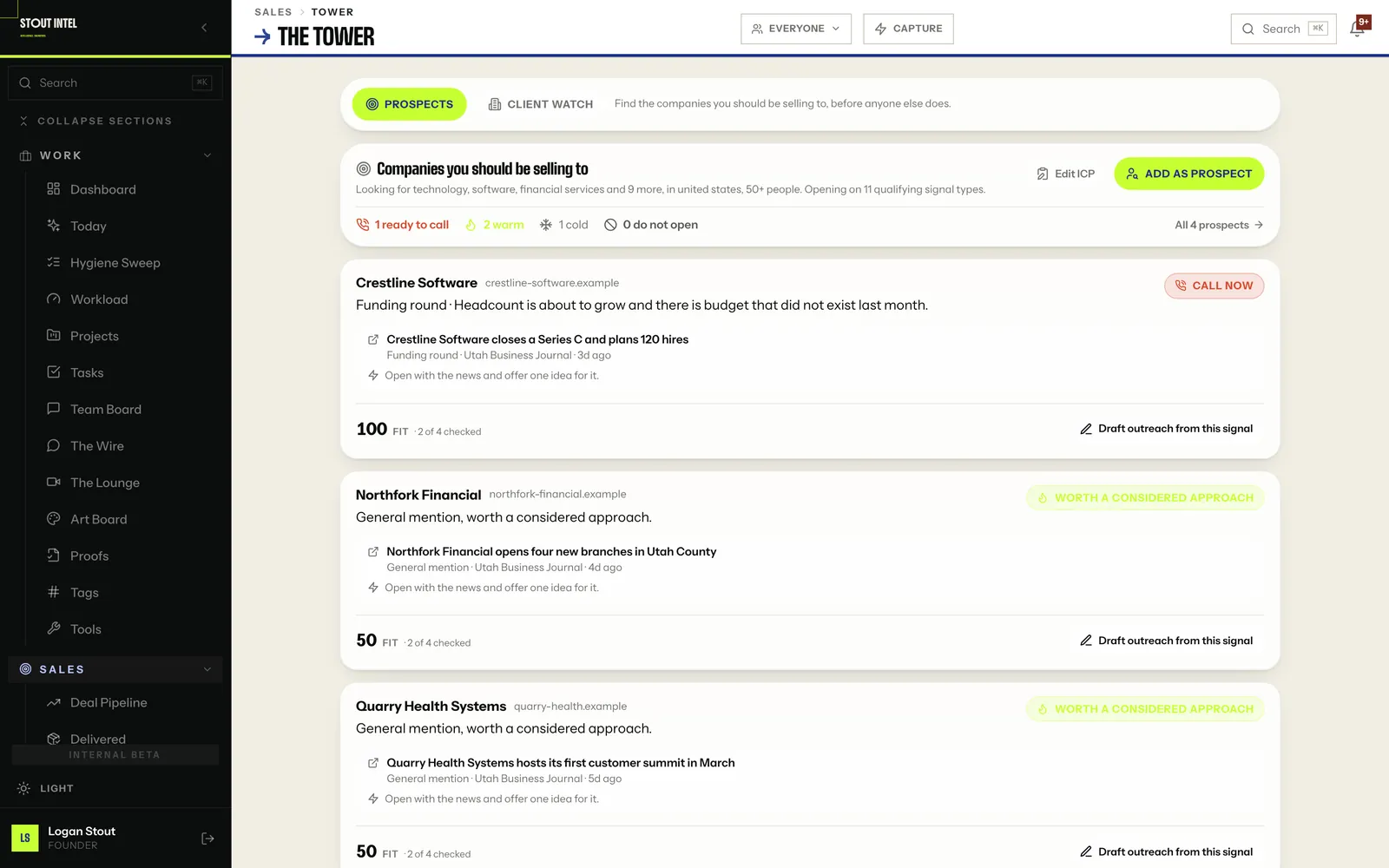
The tower
Companies you should be selling to.
- SIPS · Sales insights
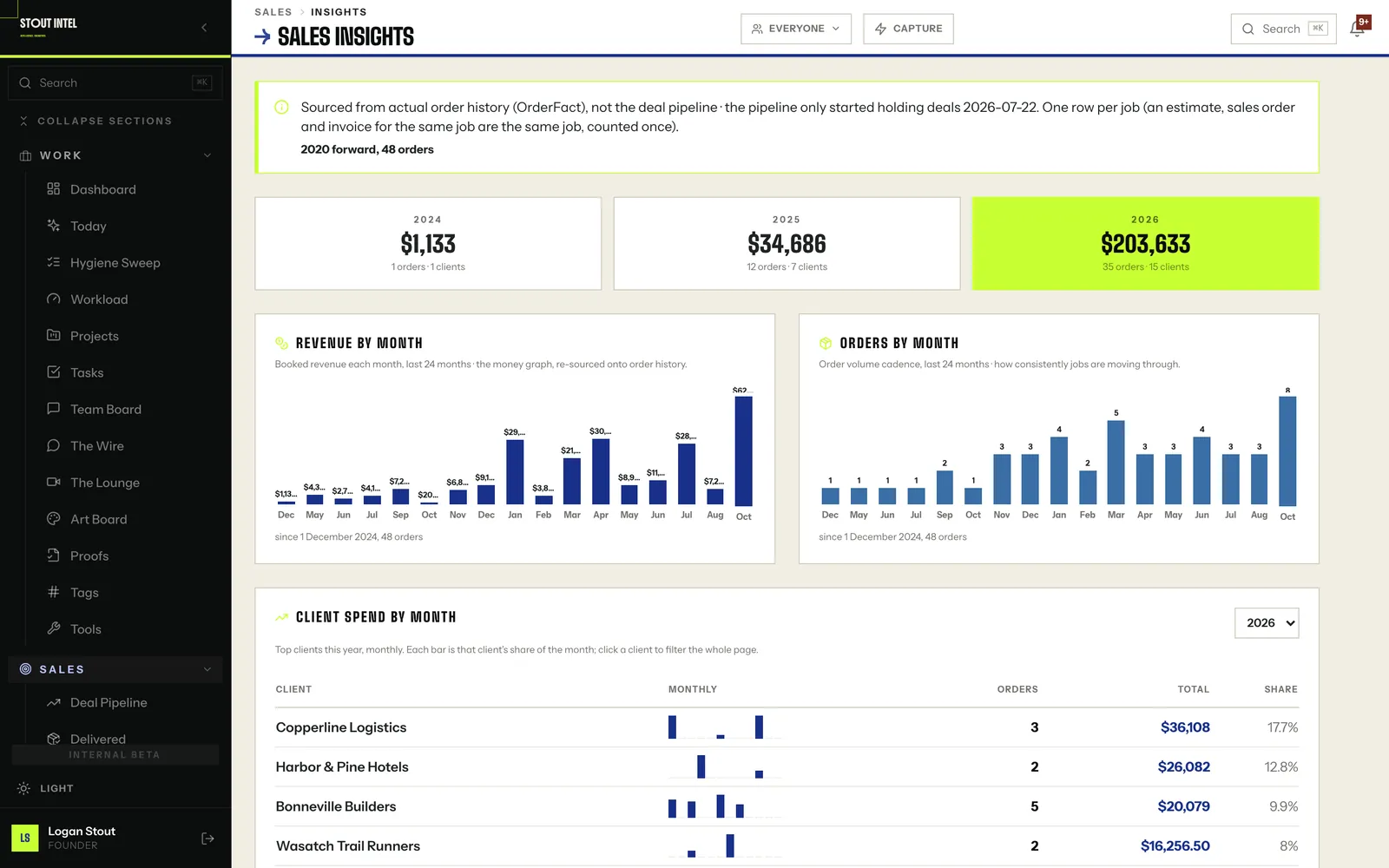
Sales insights
Revenue and orders by month.
- SIPS · Workload
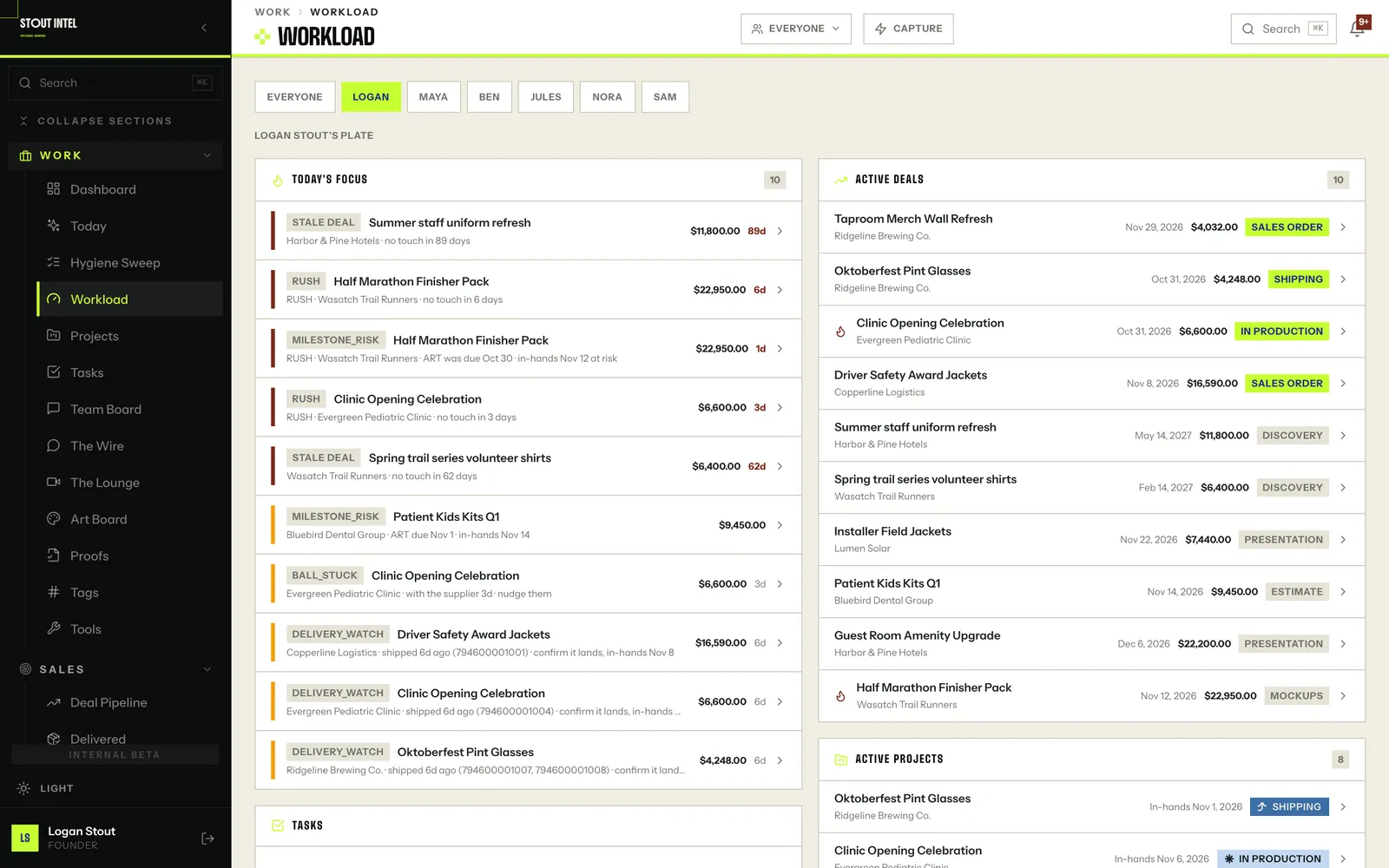
Workload
Who has what on their plate.
Built for the parking lot, not just the office.
Every part of SIPS ships with its phone screen the same day. Log the call from the truck. Read the brief in the lobby. Text the client their tracking from the deal. It saves on its own, even with no signal.
Back to the job ↑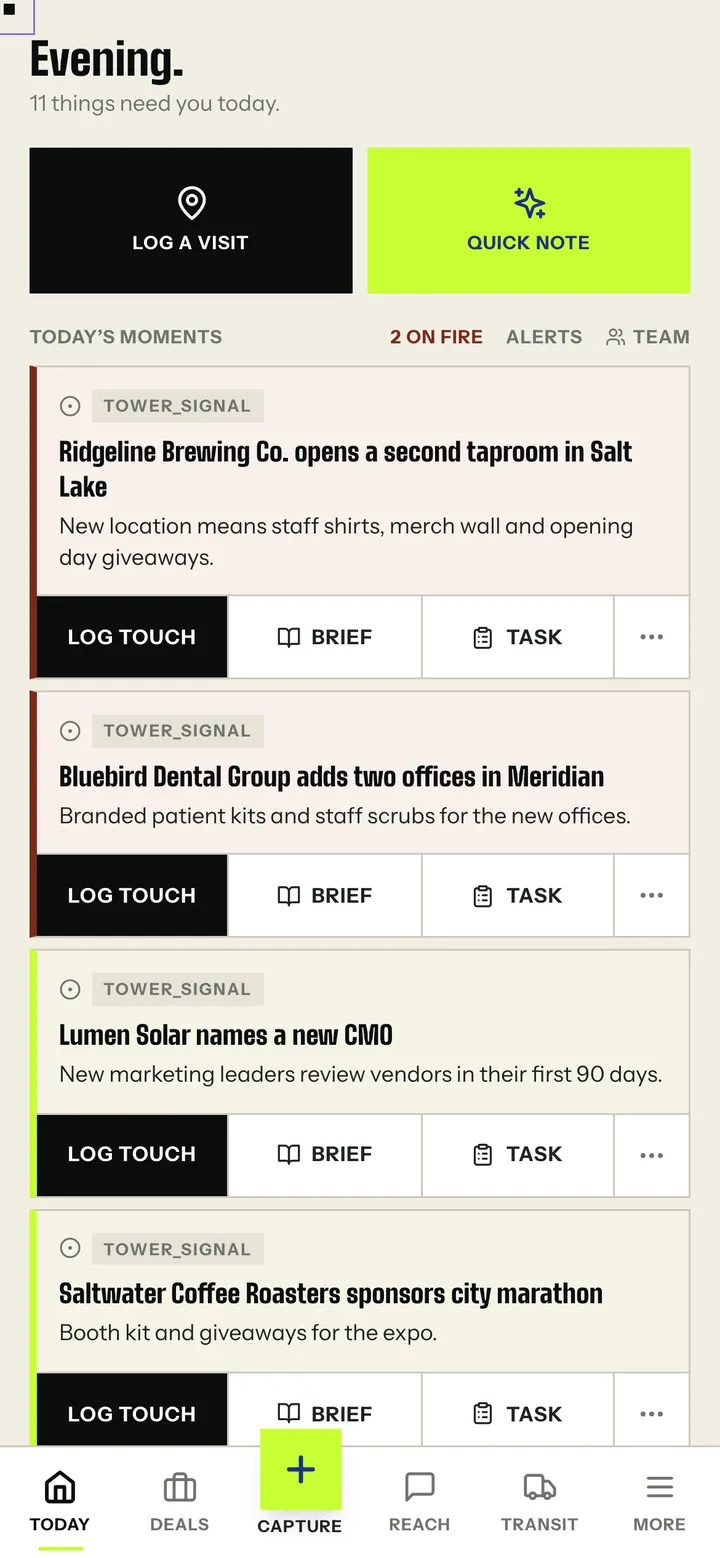 Evening
Tonight in one screen.
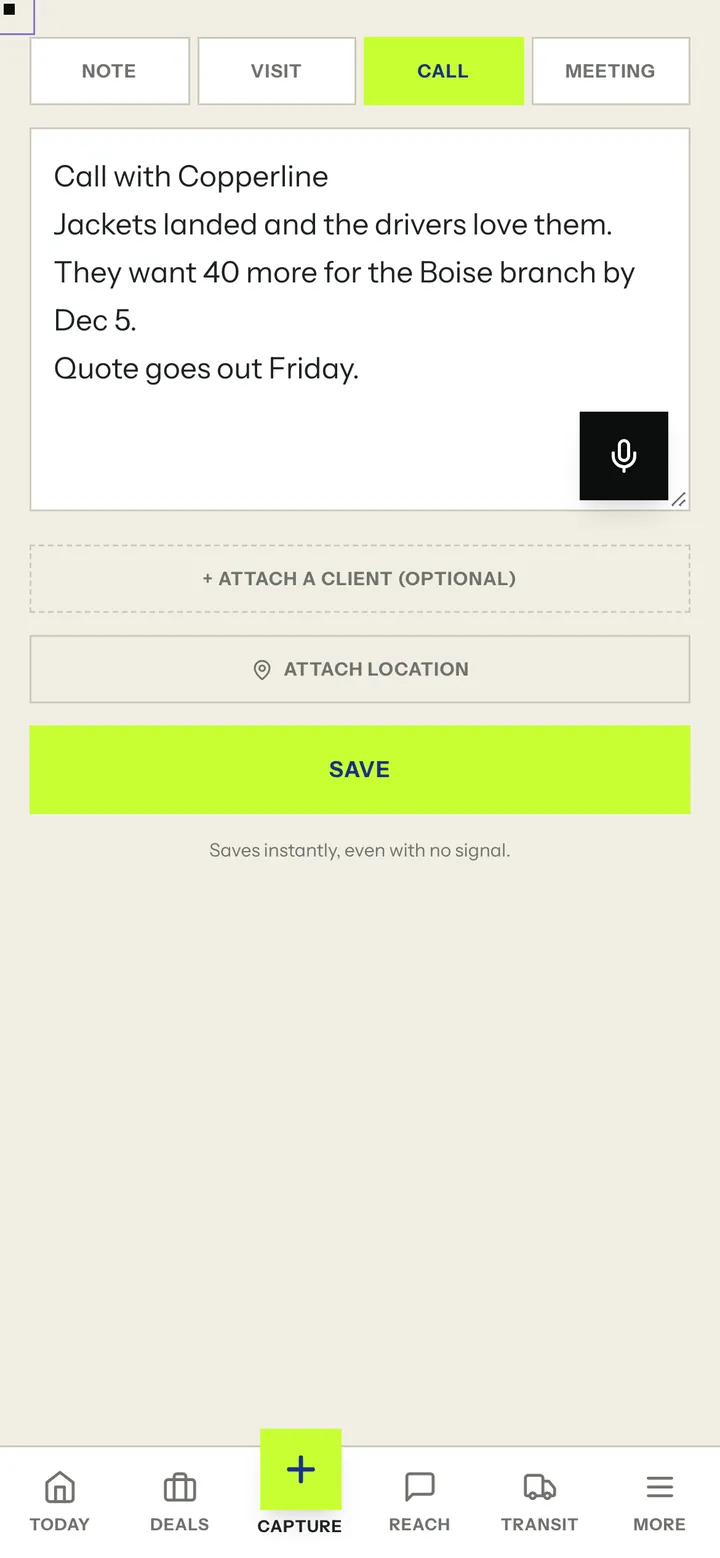 Capture
Log a call by thumb or voice. Works offline.
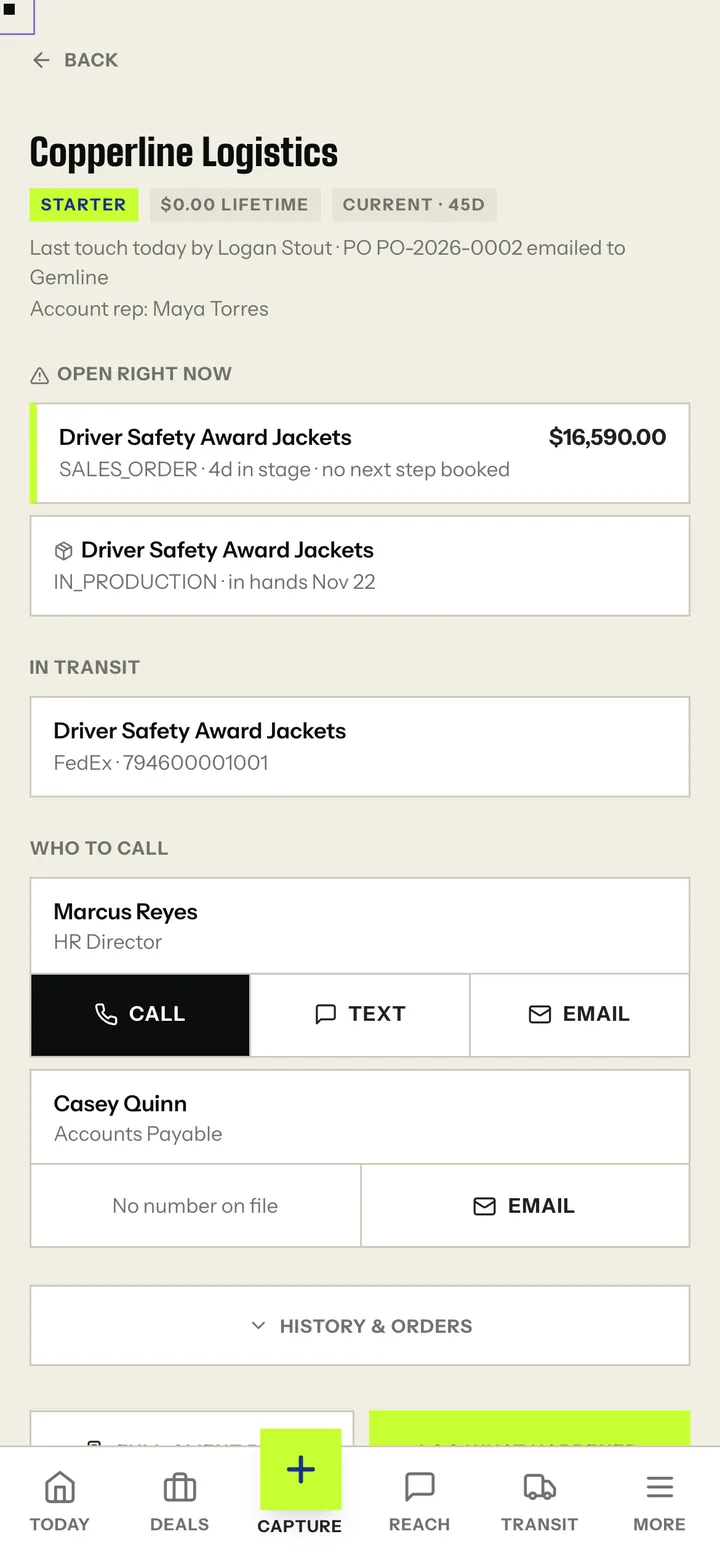 Brief
The pre call brief in your pocket.
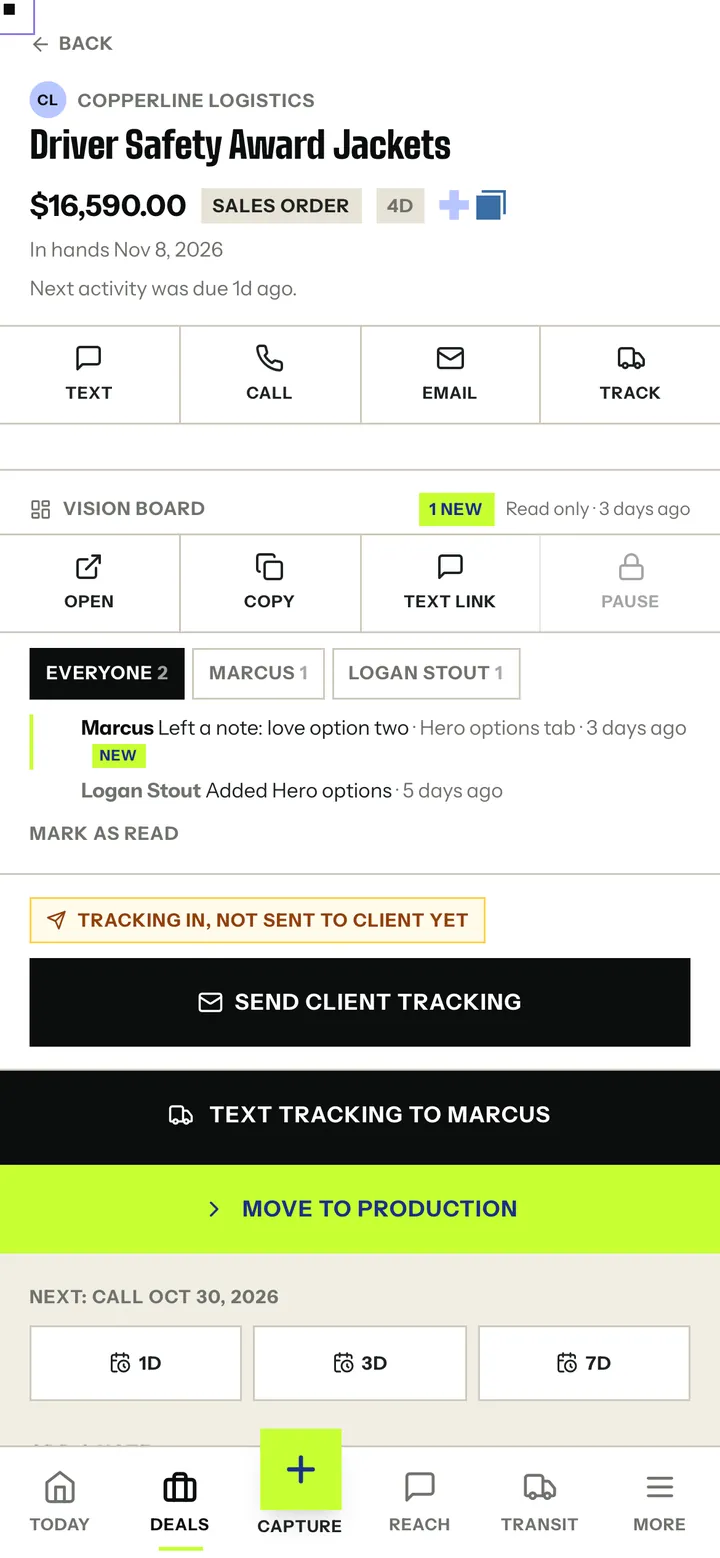 Deal
Text the client their tracking from the deal.
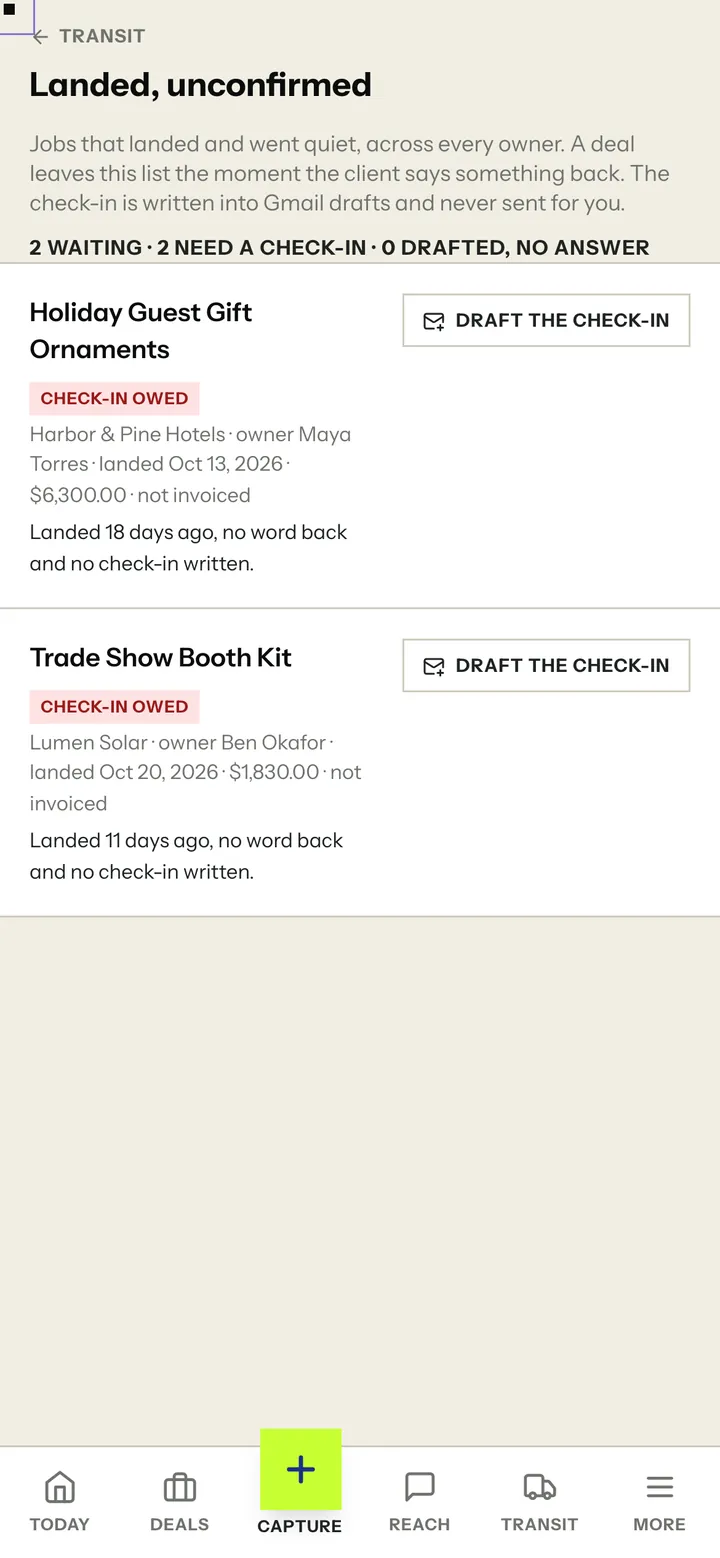 Landed
Jobs that landed and went quiet.
commonsku runs the job. SIPS runs the relationship.
Already on commonsku? Keep it. SIPS reads the same public share links your team already sends to clients and brings the job across: the client, the contact, the line items, the decoration, the margin and the in-hands date.
Nobody retypes it and nothing gets migrated. No login, no stored password, no extra seat, nothing to set up on commonsku's side. It reads. It never writes back.
Not on commonsku? SIPS runs on its own, next to SAGE, ESP or whatever you already pay for. Enter jobs by hand, import them, or paste them in.
Nothing is stored. The link and everything read from it are gone when you close the page. Stout Intel is independent and isn't affiliated with or endorsed by commonsku.
Spring Member Kit
Cottonwood Trail Co.
Read these first
It never writes to your order platform.
It reads commonsku. It doesn't push into it.
It isn't your accounting ledger or your inventory books.
Those stay where they already live.
Nothing sends by itself.
Every outbound message is a draft a person approves.

Priced in the open
Most of this category makes you book a call to hear the number. Here it is.
Every seat gets the whole system. Month to month, no long contract.
I set your workspace up by hand and walk your team through it.
Paste one of your own commonsku share links and watch it become a deal.
Try it →Built on a desk, not in a boardroom
Every part of SIPS exists because something went wrong on a real job. The In Production stage exists because I lost track of one. Per line margin exists because I found a zero margin order after I'd already billed it.
Stout Intel builds custom software for the industries nobody builds for. SIPS is the proof.
Not for everyone: if you do under about a dozen jobs a year, a spreadsheet is fine. I'd rather tell you that than sell you software. If you need full accounting and books for several companies, you want a much bigger system. SIPS is for the working desk in between.
Straight answers
What is SIPS?+
Stout Intel Promotional Software. It's one app that runs a promo shop: quotes, orders, POs, proofs, shipping, the warehouse, commissions and a how-to library for your team, all in one place. Yes, it also sounds like a drinkware pun. We'll take it.
Does SIPS work with commonsku?+
Yes. commonsku runs the job: estimate, sales order, PO, proof and invoice. SIPS runs everything around it: the pipeline before the job exists, the client relationship, and what the job actually made after it ships. It reads the public share links you already send clients, so nobody retypes a job. It works the same on Essentials, Advanced or Enterprise, with no login and no extra seat. If you run SAGE, ESP or DistributorCentral instead, SIPS works next to those too. Stout Intel is independent and isn't affiliated with or endorsed by commonsku.
What happens if commonsku changes their page layout?+
The reader breaks, loudly. That's the honest cost of reading documents. It's built so a layout change shows up as a visible failure instead of quietly wrong data, and the fix is usually a small update.
What does it cost?+
$99 per user per month, plus a $250 setup. Month to month, no long contract.
Can I sign up today?+
Not with a button. I'm bringing founding customers on by hand, one shop at a time, so every one gets set up properly. Apply and I'll look at what you run. If it's a fit I'll tell you honestly what getting your data in will take, and if it isn't, I'll say that too.
How long does it take to get going?+
It depends on what shape your data is in, and I won't quote a number before I've seen it. Getting your real clients, jobs and history in is the part that takes actual time.
Does anything send to my clients on its own?+
No. Every outbound message is a draft a person approves. SIPS also never writes back into your order platform.
Who is this not for?+
If you do under about a dozen jobs a year, a spreadsheet is fine. If you need full accounting and books for several companies, you want a much bigger system. SIPS is for the working distributor desk in between.
Bring me a real job
Not a demo dataset. One of your messy ones, with the weird decoration and the in-hands date that shouldn't be possible.
Apply here. It takes about two minutes and it comes straight to me. Or book a session.
A real person answers: me, 9AM to 9PM Mountain, every day.
If you're approved, you also get the map of how every part of SIPS fits.